By Backtestle · Last updated:
Prohibited strategies at prop firms: conduct rules that cost you the account
A common complaint about prop firm evaluations is accounts closed or payouts denied because of conduct rules, not the daily or max loss. These rules vary by firm; most exist to keep the simulation meaningful under real market conditions. This guide covers the most common bans, what they mean and which ones our simulator can measure.
Quick summary
- Banned at most of the 7 firms whose official page we read: HFT / excessively fast trading (5 firms), latency arbitrage (6), opposite trades across accounts (6), account sharing and letting someone else trade your account.
- Often limited: news windows, risk per trade, copy trading, EAs.
- Most official texts don't state a numeric "minimum trade duration". Check the firm's terms page for the exact threshold.
1. HFT and very short trades (tick scalping)
Many trades opened and closed within seconds, or sending excessive orders to the server. Some firms set a server request limit for bot accounts; others describe the duration as "a few seconds" without a number.
In the simulator: open and close times are recorded for every trade. The conduct warning card shows the duration of your 10 shortest trades and how many trades opened and closed within the same 5-minute candle; if the firm has a numeric rule, it compares against it. The exact threshold depends on the firm.
2. Latency arbitrage and exploiting price errors
Taking advantage of another data feed being ahead, or of a price / display error on the platform. Replay data has no real-time latency, so the simulator can't measure this.
3. Opposite or identical trades across accounts (hedging, group hedging)
Buying a symbol on one account and selling it on another, or taking the same trades on two accounts. Firms detect this by comparing accounts; some also ban opposite trades between your own accounts. Opposite positions on the same symbol in a single account are a separate rule (CFT 2-Step, CFT 1-Step Classic, CFT 1-Step Pro, CFT 1-Step Turbo, CFT Break, FundingPips 2 Step Standard, FundingPips 2 Step Standard · 3% daily loss, FundingPips 2 Step Pro, FundingPips 2 Step Flex, FundingPips 2 Step Flex · 95% profit split, FundingPips 1 Step Flex, FundingPips 1 Step Flex · 2% daily loss, FundingPips 1 Step Labs001 ($100K only), FundingPips EXP 003 Infinity ($25K only), FundingPips EXP 004 Ultimate · 2% daily loss ($25K only), FundingPips EXP 004 Ultimate · no daily loss ($25K only), FundingPips Zero (instant funding), GFT 1 Step, GFT 2 Step GOAT, GFT Instant GOAT (instant funding), GFT 2 Step Premium, GFT Instant HERO (instant funding), GFT Instant Premium (instant funding), CTI 1-Step, CTI 2-Step, CTI Instant Funding (instant funding), CTI Direct Funding (instant funding), Moneta 1-Step, Moneta 1-Step Daily · 1-Step, Moneta 2-Step Challenge · 2-Step, Moneta Instant Funding (instant funding), Moneta Instant Funding Pro (instant funding), Bungee Classic · 1-Step, Bungee Pro · 1-Step, Bungee Turbo · 1-Step on the site ban this).
In the simulator: the single-account opposite position rule is applied; cross-account comparison isn't possible.
4. Copy trading and account management
Copying someone else's trades, having someone trade for you, sharing the account. Some firms allow copying between your own accounts, some don't, and some tie it to program terms in the funded stage. Can't be measured in the simulator.
5. Splitting trades and spreading profit artificially
Splitting trades, partially closing, delaying closes or artificially spreading profit across days to get around the consistency (best day) or minimum profitable days requirement. Details: consistency rule guide.
In the simulator: we flag multiple entries on the same symbol and direction within 10 minutes as a heuristic; we don't show it as a definite breach.
6. News window
Opening trades a few minutes before and after high-impact news (in some programs also closing them or changing stop / target). In programs on the site the window is 2, 3, 4, 5, 10 minutes; in some it applies only to the funded account. The penalty varies too: the account ends, it counts as a soft breach, or that trade's profit is removed. Placing two-sided pending orders (brackets) around news is also banned at some firms.
In the simulator: applied. The news line on the rule card shows the window, which phase it applies to, the penalty and the news source (the site's economic calendar and the symbol's currencies; crypto excluded).
7. Risk per trade and excessive leverage (gambling)
Risking the whole daily loss limit on one trade, a % risk cap per trade, total open risk, unusually large lot sizes. Programs with a risk-per-trade cap: FundingPips Zero (instant funding), The5ers Bootcamp · 3-Step, FunderPro Instant Program (instant funding), Instant Funding Pro (instant funding), Instant Funding Lite (formerly GO · instant funding), Instant Funding IF Micro Pro (instant funding), Hola Prime 1-Step Prime, Hola Prime 2-Step Prime, Hola Prime 2-Step Pro, Hola Prime Direct (instant funding). Risking the whole daily limit on one trade is banned: BEM One · 1-Step, BEM One Only · 1-Step, BEM Classic · 2-Step, BEM Classic Swing · 2-Step, CFT 2-Step, CFT 1-Step Classic, CFT 1-Step Pro, CFT 1-Step Turbo, CFT Break, Breakout 1-Step Classic, Breakout 1-Step Pro, Breakout 1-Step Turbo, FundedNext Stellar 2-Step, FundedNext Stellar 1-Step, FundedNext Stellar Lite, FundedNext Stellar Instant, E8 One, The5ers High Stakes · 2-Step, The5ers Hyper Growth · 1-Step, The5ers Pro Growth · 1-Step, The5ers Bootcamp · 3-Step, The5ers Summer 1-Step · 1-Step, The5ers Summer 2-Step New (10/5) · 2-Step, The5ers Summer 2-Step Classic (8/5) · 2-Step.
In the simulator: measured and flagged before the order.
8. EA, VPN and device rules
EAs are conditional at some firms (you must own the source code, the same EA shouldn't be used by many people) and fully banned on some account types. VPN / VPS use needs approval at some firms. Can't be measured in the simulator.
Firm table: conduct rules
"Banned": explicitly banned in the official text we read. "Limited": conditional or program-dependent. "not stated / not verified": not in the text we read or the page couldn't be read; it doesn't mean allowed. The official page couldn't be read for FundingPips, E8: these rows are not verified.
FTMO
source: official page ↗ · last checked 11/20/2026- HFT / very short trades
- Banned · HFT and overloading the server with bots
- Latency arbitrage
- Banned · exploiting delayed prices
- Cross-account hedging
- Banned · opposite trades between linked accounts
- Copy trading
- not stated / not verified · no separate clause; letting someone else trade your account is banned
- Trade splitting
- Banned · artificially spreading profit across days
- News window
- funded 2 min (2-Step, 1-Step) · 2 min (Instant Account (instant funding))
BEM Funding
source: official page ↗ · last checked 10/13/2026Terms were read; the separate "Prohibited Trading Practices" policy could not be read
- HFT / very short trades
- not stated / not verified
- Latency arbitrage
- not stated / not verified
- Cross-account hedging
- Limited · same strategy across your own accounts is banned during evaluation
- Copy trading
- Limited · depends on program terms in the funded stage
- Trade splitting
- Banned · splitting, partial closes, hedging or delaying closes for consistency
- News window
- funded 4 min (BEM One · 1-Step, BEM Classic · 2-Step, BEM Classic Swing · 2-Step)
Crypto Fund Trader (CFT)
source: official page ↗ · last checked 10/13/2026- HFT / very short trades
- Banned
- Latency arbitrage
- Banned
- Cross-account hedging
- Banned · between accounts of the same user
- Copy trading
- Banned · between accounts of different people
- Trade splitting
- not stated / not verified
- News window
- none in programs
Breakout (crypto)
source: official page ↗ · last checked 10/13/2026Official help center read (Oct 13, 2026): multiple accounts on the same household / device / IP, "pass the exam" services and excessive risk are also banned
- HFT / very short trades
- not stated / not verified
- Latency arbitrage
- Banned · exploiting errors / latency
- Cross-account hedging
- Banned · across accounts; opposite positions in one account are allowed
- Copy trading
- Banned · copy / signal trading
- Trade splitting
- not stated / not verified
- News window
- none in programs
FundedNext
source: official page ↗ · last checked 10/13/2026- HFT / very short trades
- Banned · including tick scalping of a few seconds
- Latency arbitrage
- Banned
- Cross-account hedging
- Banned
- Copy trading
- Banned · from an account you don't own
- Trade splitting
- not stated / not verified
- News window
- funded 5 min (Stellar 2-Step, Stellar 1-Step, Stellar Lite) · 5 min (Stellar Instant)
FundingPips
source: official page (couldn't be read) ↗ · last checked 10/13/2026Official page could not be read (access blocked)
- HFT / very short trades
- not stated / not verified
- Latency arbitrage
- not stated / not verified
- Cross-account hedging
- not stated / not verified
- Copy trading
- not stated / not verified
- Trade splitting
- not stated / not verified
- News window
- funded 5 min (2 Step Standard, 2 Step Standard · 3% daily loss, 2 Step Pro, 2 Step Flex, 2 Step Flex · 95% profit split, 1 Step Flex, 1 Step Flex · 2% daily loss, 1 Step Labs001 ($100K only), EXP 003 Infinity ($25K only), EXP 004 Ultimate · 2% daily loss ($25K only), EXP 004 Ultimate · no daily loss ($25K only)) · 10 min (Zero (instant funding))
E8 Markets
source: official page (couldn't be read) ↗ · last checked 10/13/2026Official page could not be read (access blocked)
- HFT / very short trades
- not stated / not verified
- Latency arbitrage
- not stated / not verified
- Cross-account hedging
- not stated / not verified
- Copy trading
- not stated / not verified
- Trade splitting
- not stated / not verified
- News window
- funded 5 min (E8 One, E8 Classic)
The5ers
source: official page ↗ · last checked 10/13/2026- HFT / very short trades
- Banned
- Latency arbitrage
- Banned
- Cross-account hedging
- Banned
- Copy trading
- Banned
- Trade splitting
- Banned · artificially inflating the number of profitable days
- News window
- 2 min (High Stakes · 2-Step, Summer 1-Step · 1-Step, Summer 2-Step New (10/5) · 2-Step, Summer 2-Step Classic (8/5) · 2-Step)
FXIFY
source: official page ↗ · last checked 10/13/2026Source is a blog post from November 2024
- HFT / very short trades
- Banned
- Latency arbitrage
- Banned
- Cross-account hedging
- Banned · opposite and group hedging
- Copy trading
- Limited · between your own accounts, depending on the program
- Trade splitting
- not stated / not verified
- News window
- 5 min (Lightning, Instant funding, Instant Funding Lite)
The news window comes from the site simulator's rule data; the other rows from the firms' prohibited strategy pages. Program-level detail is in the prop firm comparison table.
How to check this on the site
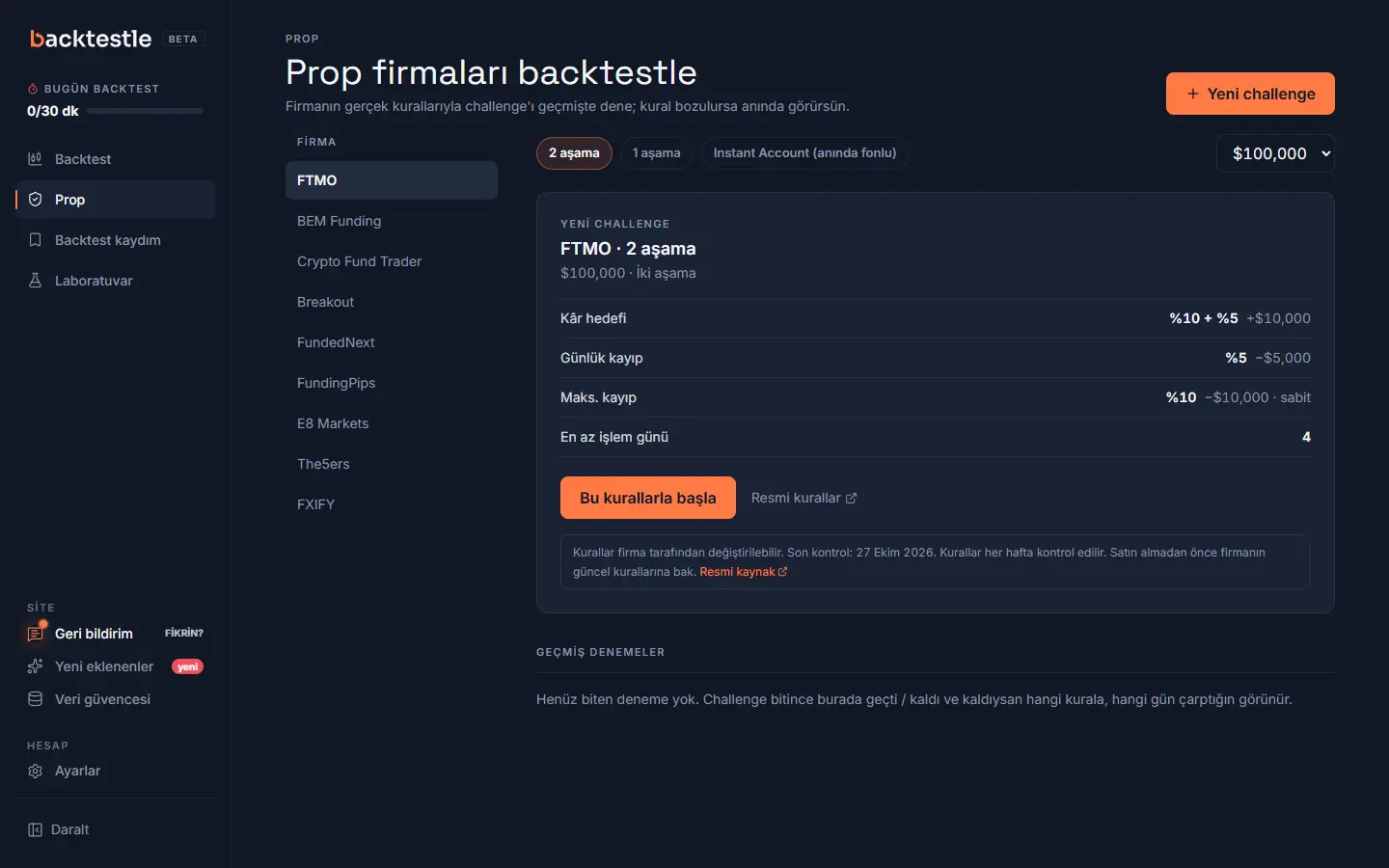
- Pick the firm and program in the simulator. Rules like news, risk per trade and opposite positions are flagged before the order.
- The "Conduct warning" card on the Prop tab shows your short trades, split entries, peak risk and trades opened in the news window.
- On the My backtests page, the Summary view shows the same card for all your records once you pick the firm.
For full prep, see 7 steps before a challenge and how to pass a prop firm challenge. Common questions are on the FAQ page.
Frequently asked questions
Is scalping banned at prop firms?
Generally, no. What the texts we read ban is HFT, tick scalping measured in seconds and order flow that overloads the server. Most official texts don't state a numeric minimum trade duration; the threshold varies by firm.
Can I open the same trade on two accounts?
Opposite trades across accounts (hedging) are banned in most of the texts we read. Some firms allow copying the same trade between your own accounts and some don't; read the firm's terms page before you buy.
Why is splitting a trade a problem?
If trades are split, partially closed or held open longer to game the consistency (best day) or profitable days requirement, some firms treat it as circumventing the rule.
Can I move my stop during news?
In some programs, changing the stop / target inside the news window is also banned (e.g. BEM). The news line on the rule card shows the window, the penalty and whether trade management is included.
Does the simulator check these rules?
News window, risk per trade, consistency and opposite positions in one account are flagged before the order and recorded in the account log. The conduct warning card shows short trades, split entries, peak risk and trades opened during news. Latency arbitrage, cross-account trading, copy trading and device / IP rules can't be measured.
Test your trading habits in a free simulator
Pick a firm and trade available historical data with bar replay; the conduct warning card shows habits that could be a risk at that firm.
Terms in this guide
See the glossary for a short definition and a worked example.
More guides
- How to backtest a trading strategya step-by-step manual backtesting guide
- How many trades are enough in a backtest?expectancy in R, 95% confidence interval, 30-50-100-200 trades
- How to pass a prop firm challengerisk plan and rule management
- 7 steps before a prop firm challengea prep checklist before you pay for a challenge
- Consistency rule (best day %)best day calculator, worked example and firm table
- How is the daily loss limit calculated?base (starting balance / day's opening balance), reset time, floating loss; firm table
- What are swap and spread?triple swap day, TRY pairs, swap-free, news spread, weekend gaps
- What is a prop firm and how does it work?challenge, funded account, profit split, rules, risks; firm and program counts from code
- What is trailing drawdown?static, trailing, end-of-day trailing and locked floors; $100,000 example; program table
- Prop firms from Turkeywhich firms have a Turkey note, USD / EUR fees, payouts and identity verification
- All guidesindex and reading order
- Prop firm comparison tablerules of 33 firms
- Backtesting software compareda sourced, dated comparison with FX Replay, Forex Tester, TradingView, BacktestingMax and TradeZella
- Prop rule changelogdated, sourced rule changes and points we could not verify
- Prop firm and backtesting glossarytrailing drawdown, daily loss, R, pip, spread and more
- FAQpricing, symbols, data source and the prop simulator
Sources (last checked: October 13, 2026)
- FTMO: prohibited strategies / conduct page ↗
- BEM Funding: prohibited strategies / conduct page · Terms were read; the separate "Prohibited Trading Practices" policy could not be read ↗
- Crypto Fund Trader (CFT): prohibited strategies / conduct page ↗
- Breakout (crypto): prohibited strategies / conduct page · Official help center read (Oct 13, 2026): multiple accounts on the same household / device / IP, "pass the exam" services and excessive risk are also banned ↗
- FundedNext: prohibited strategies / conduct page ↗
- FundingPips: prohibited strategies / conduct page (could not be read, not verified) ↗
- E8 Markets: prohibited strategies / conduct page (could not be read, not verified) ↗
- The5ers: prohibited strategies / conduct page ↗
- FXIFY: prohibited strategies / conduct page · Source is a blog post from November 2024 ↗
- FTMO FAQ: which strategies are allowed ↗
Last checked: October 13, 2026. Firms can change their rules; check the firm's current page before you buy. This content is for education and practice only, not investment advice; past results do not guarantee future returns.